BAMA: Claude Code and Codex skills that plan, design and build native macOS apps
BAMA (daveebbelaar/bama) is a free, MIT-licensed set of 21 agent skills that take Claude Code or Codex from an idea, or screenshots of an app you like, to a native Swift and SwiftUI Mac app. It needs macOS 26 and Xcode 26.
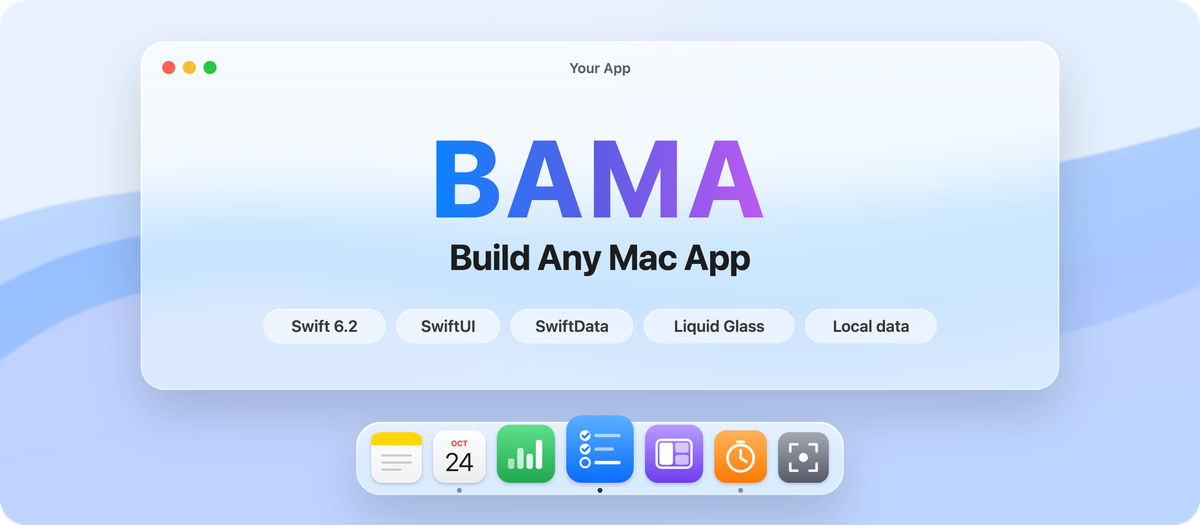
BAMA, short for Build Any Mac App (GitHub: daveebbelaar/bama), is an MIT-licensed set of 21 agent skills by Dave Ebbelaar that walks a coding agent from an app idea to a native macOS app installed in ~/Applications. It targets Swift 6.2 and SwiftUI with SwiftData for local storage, and the agent never needs to open the Xcode interface. It installs as a Claude Code or Codex plugin, or through skills.sh for agents such as Cursor and Gemini CLI. The repo was created on October 24, 2026 and had 1,838 stars and 228 forks as of November 16, 2026.
The headline promise, seeing an app you like and rebuilding it as your own, makes the word "clone" sound bigger than it is. In BAMA, cloning means an agent opens an existing app, screenshots every screen, menu and settings pane, and writes an index of layout, actions, shortcuts and a guessed data model. That index becomes user stories for new Swift code. The flow works only from screenshots and the index, and the skill says to take no text, logo or icon from the reference app: you rebuild design and behaviour in your own code, not its brand.
Quick facts
- Platform: macOS 26 or later, with Xcode 26 or later installed for the Swift 6.2 toolchain. The new-mac-app skill notes that on macOS 15 you can lower the target and skip Liquid Glass APIs.
- Cloning native apps needs computer use, which the README ties to a Claude Pro or Max plan; in Claude Code enable it under /mcp > computer-use and grant Accessibility and Screen Recording. Web apps use a browser tool.
- Licence and price: the skills are MIT and free, with no release binaries; you still need the agent itself.
- Releases: 1.1.0 and 1.1.1, both on November 5, 2026 (the 1.0.0 commit is dated October 26). 1.1.0 fixed the scaffold's placeholder check, a build script that could install a stale binary, the agent CLI's app lookup and a menu bar hang.
- Windows: the README points to a sibling project, BAWA, from the same author.
How to install
The README's quick start is one command, npx skills@latest add daveebbelaar/bama, with -a <agent> to target an agent such as Cursor or --skill=clone for one skill. Use one route per agent; two routes install every skill twice. As a Claude Code plugin:
/plugin marketplace add daveebbelaar/bama
/plugin install bama@bama
To update, run claude plugin marketplace update bama, then claude plugin update bama@bama, and start a new session, or enable auto-update under /plugin > Marketplaces > bama. Codex uses codex plugin marketplace add daveebbelaar/bama, then codex plugin add bama@bama. By hand, git clone the repo and run scripts/link-skills.sh, which symlinks every skill into ~/.claude/skills and ~/.agents/skills.
First setup
Type /bama. This router skill checks where your project stands and calls the next skill on a fixed path: research, optional clone, brief, user stories, scaffold, design, then a build loop.
The scaffold skill, new-mac-app, checks swift --version and sw_vers -productVersion, then copies a template, fills in the name and bundle id and makes a first git commit. The template is a Swift package, not an Xcode project; its build.sh wraps the binary in an .app bundle, signs it and installs it to ~/Applications. Without an Apple Development certificate the build is signed ad hoc (a free Apple ID can create one in Xcode settings).
No idea yet? The specs folder holds 12 build plans cut from Onyx, the author's own menu bar app: a window snapper, launcher, clipboard history, screen recorder and more, each with APIs, permissions, stories and gotchas. The window snapper is the suggested first build.
What stands out
Screens become checkable work. The clone skill walks an app in a fixed order, from the main window through sidebar items, menus with shortcuts, settings panes, empty states and dark mode, and ends the index with a navigation map, a command map and a data-model guess. Every screen must then map to a user story or be listed as dropped.
Privacy rules are written in. The agent must warn you it will see everything, suggest a demo account, request access to the reference app only, and look without touching: no typing, creating or deleting unless you say so.
Verification is visual and mechanical. In the template, tools/snap.sh renders every page to PNG in light and dark, tools/grid-lint.sh and check-layout.swift check the 4 pt grid, and tools/selftest.sh and swift test run the self-test and unit tests. improve-loop builds one story per commit, snapshotting and testing first.
Design is measured, not guessed. design-from-app ships Swift scripts that read sizes, colours and type from screenshots and diff a rebuilt screen; it passes when under 2% of pixels differ and every row and left edge is within 1.5 pt.
Your app can get an agent interface. The optional agent-cli skill makes the app binary its own CLI and MCP server, so Claude Code or Codex can drive the running app.
How it was built with Claude
Most of Dave Ebbelaar's commits, starting with the 1.0.0 commit on October 26, carry a Co-Authored-By: Claude Opus 5.5 line, and two pull requests (#9 and #17) say they were generated with Claude Code. A .claude/CLAUDE.md, mirrored as AGENTS.md, sets house rules: Matt Pocock's writing-for-agents style, every step ending on a checkable condition, no em dashes, and releases validated with claude plugin validate . --strict. The README credits the idea to REA by morluto.
Fixes come from real builds: a November 5 commit corrected the app-shell guide after an app called LocalChat showed content 4 pt off centre. Outside contributors supplied most of the 1.1.0 fixes.
Try it with your AI. Paste this into Claude Code or Codex to plan a small Mac app the BAMA way, starting from an app you are allowed to study.
I want to plan a small native macOS app with the BAMA skills
(github.com/daveebbelaar/bama). Reference app: [app name or URL]. My app: [AppName, one
UpperCamelCase word], bundle id [reverse DNS, e.g. com.yourname.appname].

1. Check prerequisites and report: sw_vers -productVersion (BAMA lists 26.0 or later; on
   macOS 15 the new-mac-app skill lowers the target and skips Liquid Glass) and swift
   --version (6.2 or later). If either fails, stop and tell me.
2. Check whether the BAMA skills are installed. If not, tell me the official command and
   let me run it: in Claude Code /plugin marketplace add daveebbelaar/bama then /plugin
   install bama@bama; in Codex codex plugin marketplace add daveebbelaar/bama then codex
   plugin add bama@bama. Do not install anything yourself.
3. Run the clone skill. A native app needs computer use (Claude Pro or Max) with
   Accessibility and Screen Recording; a web app needs a browser tool. List the access
   you need and wait for my confirmation. Look, do not touch: never type, create, change
   or delete anything. I will use [demo account or sample data].
4. Write docs/screens/INDEX.md describing structure and behaviour only. Copy no text,
   logo or icon. Add docs/screens/*.png to .gitignore.
5. Run user-stories and show me docs/STORIES.md with a small first milestone. Wait for
   my confirmation.
6. Before scaffolding, check whether ~/Applications/[AppName].app already exists and
   tell me, because build.sh installs there. After I confirm, run new-mac-app, then
   ./build.sh --open, then tools/snap.sh, and show me the PNGs it writes.
Known limits
- Cloning is a design study, not a licence. The clone skill says rebuilding for personal use is fine but copying a brand is not, and keeps reference screenshots out of public repos. design-from-app adds that before the app ships to anyone else you replace the other company's name, logo, illustrations and any font or icon it owns. Get legal advice before publishing or selling a look-alike.
- The optional agent CLI ships in your app and opens a local socket that can change its data; destructive commands wait for --yes. Open pull request #19 reports a SIGPIPE crash when the CLI disconnects early.
- Open pull request #18 says the app-shell guide was measured on macOS 26.5 only and is partly wrong on 27.2; open #20 says tooltips in BAMA-built apps appear after a 2 to 3.5 second system delay and proposes 500 ms.
- Ad hoc builds re-ask for permissions after every rebuild. Widgets, extensions and App Intents need an XcodeGen project. The scaffold installs to ~/Applications for your own use; the sources do not cover notarisation or App Store submission.
FAQ
Does BAMA copy another app's code? Not in the described flow: the clone skill works from screenshots and a written index of screens, actions and shortcuts, which become user stories implemented in new Swift code.
Can I use it without Claude Code? Yes for building: the README lists a Codex plugin route and skills.sh for Cursor, Gemini CLI, Copilot and others. Cloning a native Mac app still needs computer use, which the README ties to a Claude Pro or Max plan.
Related on claudefox
- Apple's official Xcode plugin for Claude Code: install with xcode@claude-plugins-official
- Product Engineering: 45 free agent skills for shipping a product with Claude Code and Codex
- Agent Autoloop: run Claude Code and Codex in the background and get a card when they need you
- huashu-motion lets Claude Code or Codex make a product launch film with music that you edit by clicking a frame
Problems and feedback
The repo's issues and pull requests are at github.com/daveebbelaar/bama. On November 16 the open list held three pull requests (#18, #19, #20) and no bug-report issues; earlier reports were fixed in 1.1.0.
Source: GitHub: daveebbelaar/bama, BAMA README, BAMA releases, BAMA CLAUDE.md, BAMA clone skill, BAMA new-mac-app skill, BAMA app template Package.swift, BAMA agent-cli skill, BAMA test-mac-app skill, BAMA design-from-app skill, BAMA bama router skill, BAMA specs, BAMA commit history, BAMA issues and pull requests
This story first appeared in the claudefox daily briefing for November 16, 2026.