IPVIO Stream: the Claude-built Android TV player, and the CLAUDE.md that keeps it shipping
IPVIO Stream is a free, open-source IPTV player for Android TV and Fire TV, on GitHub at Emrodev/IPVIO-Stream with the APK on its Releases page. How to install 1.4.2, set it up, what is new, and how it is built with Claude.

Updated November 16, 2026: updated for release 1.4.2 (R8 back on, about 11 MB) and Google Drive sync, the planned 1.4.3, new star, download and commit counts, the new branch and test rules in CLAUDE.md, and screenshots from the project.
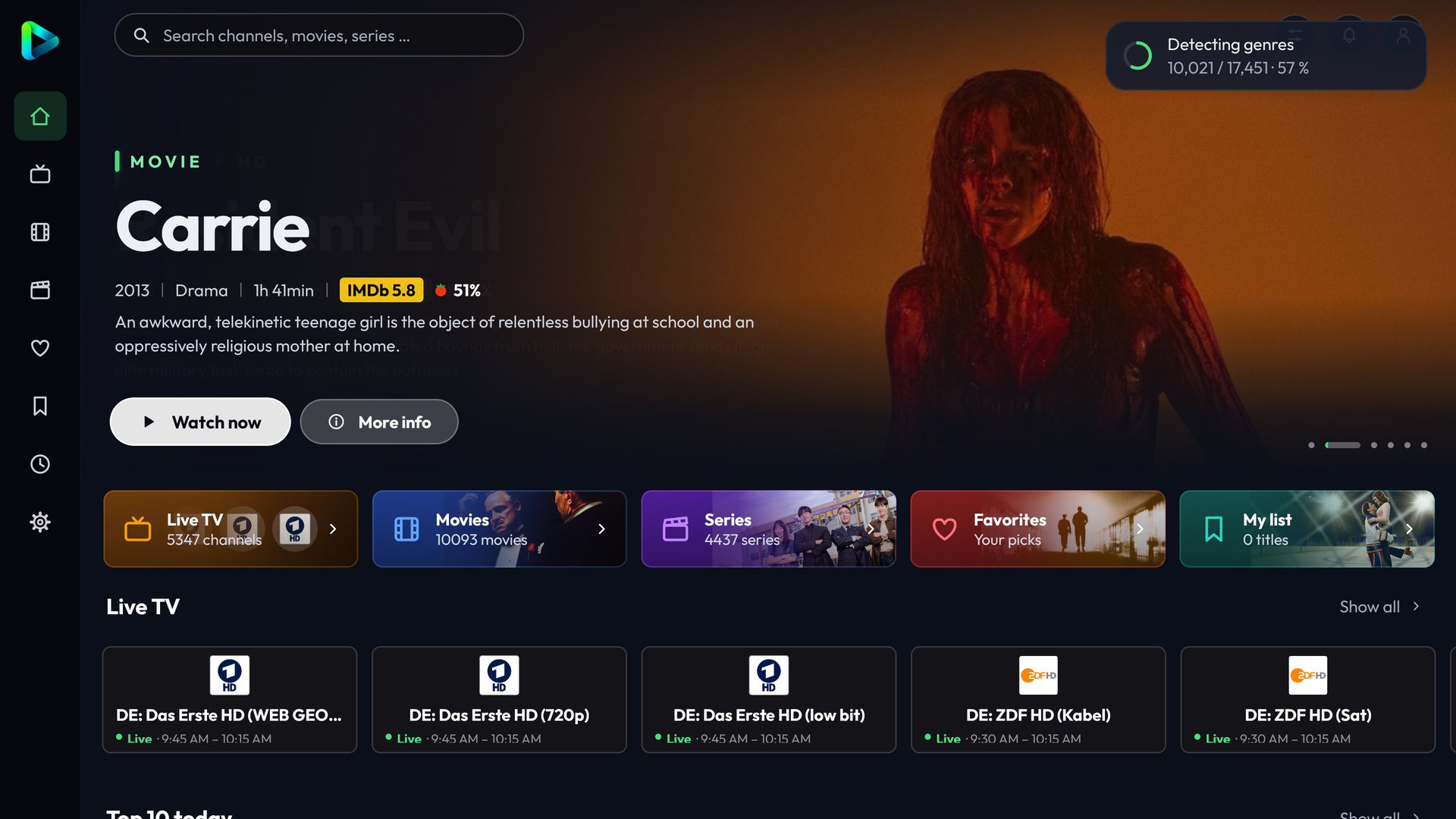
IPVIO Stream is a free, open-source IPTV player for Android TV, Google TV and Amazon Fire TV. Its GitHub repository is Emrodev/IPVIO-Stream (github.com/Emrodev/IPVIO-Stream), and the APK is attached to each release on the Releases page (github.com/Emrodev/IPVIO-Stream/releases). It is built with Claude: the README's support note is written in Claude's voice, and Claude appears all through the commit history. It has grown quickly: created on November 5, it had 778 stars and 108 forks on November 16, and the APK files across its releases had been downloaded about 25,000 times.
It is a player only. It contains no channels, playlists, films or series, and its authors do not provide, host, sell or link to any streams or playlists. You add a playlist you are allowed to use; the README warns that using playlists without the rights holders' permission may be illegal in your country. Film artwork, channel logos and programme data shown in the app belong to their owners.
Where is IPVIO Stream on GitHub?
IPVIO Stream is on GitHub at github.com/Emrodev/IPVIO-Stream, a free, open-source GPL-3.0 project with the APK attached to each release on its Releases page.
- Runs on: Android TV, Google TV and Fire TV, designed for the remote; it also runs in landscape on Android phones and tablets. Minimum Android 7.0.
- Playlists: Xtream Codes login, M3U address or file, or a Stalker portal.
- Languages: German, English, Turkish, Bosnian, Croatian, Serbian, Spanish, French, Italian and Dutch.
- Code: Kotlin with Jetpack Compose and Media3 (ExoPlayer). The GPL-3.0 license comes from the bundled FFmpeg audio decoder, which plays AC3, E-AC3 and DTS sound.
- Latest release: 1.4.2 (November 14); about 11 MB according to its test-build notes. A 1.4.3 version is prepared in the repository's changelog but was not yet on the Releases page when we checked on November 16.
- Cost: free, no account, no ads. Donations are voluntary and unlock nothing.
How do I install IPVIO Stream on Android TV or Fire TV?
Install the APK from the project's GitHub releases: on Android TV or Fire TV through the Downloader app, and on a phone or tablet by downloading IPVIO-Stream.apk and opening it.
Install the latest release, 1.4.2. On Fire TV or Android TV, install the Downloader app and either type the address below or enter the Downloader code 4200542 from the top of the README; if the two ever disagree, the README is right. Allow Downloader to install unknown apps when asked, then install. On a phone or tablet, download IPVIO-Stream.apk from the latest GitHub release and open it. Get the APK only from the project's GitHub releases, not from copies elsewhere.
https://github.com/Emrodev/IPVIO-Stream/releases/latest/download/IPVIO-Stream.apkYou normally install by hand only once. From version 1.1 on, the app checks for updates itself once a day, offers them under the bell icon and installs them over the current version; playlists, favourites, history and settings are kept. If you are still on 1.0, install a newer release once by hand. The exceptions: test builds are never offered automatically, and anyone stuck on the broken 1.4 had to install 1.4.1 or later by hand.
Release 1.4.2 turns R8, Android's code shrinker, back on for the whole app: according to the 1.4.2 test-build notes, the APK is about 11 MB instead of 19 MB and cold starts are about 15% faster. That is the same change that broke release 1.4 (see below), so 1.4.2 went out first as a manual-install test build on November 13; the regular 1.4.2 release followed on November 14 with further changes, including Google Drive sync. If it does not start on your device, report it with a log.
How do I add an IPTV playlist to IPVIO Stream?
Add a playlist you are allowed to use, as an Xtream Codes login, an M3U address or file, or a Stalker portal; API keys for posters and ratings are optional.
Add a playlist first: a server address, user name and password for Xtream Codes; an address or a file for M3U; or a portal address and the MAC address from your provider for Stalker. Typing that with a TV remote is tedious, so the app can take the input from your phone over Wi-Fi. You can add several playlists and show them together. If your provider blocks the usual Xtream get.php address, the app has fallen back to player_api.php automatically since 1.1.
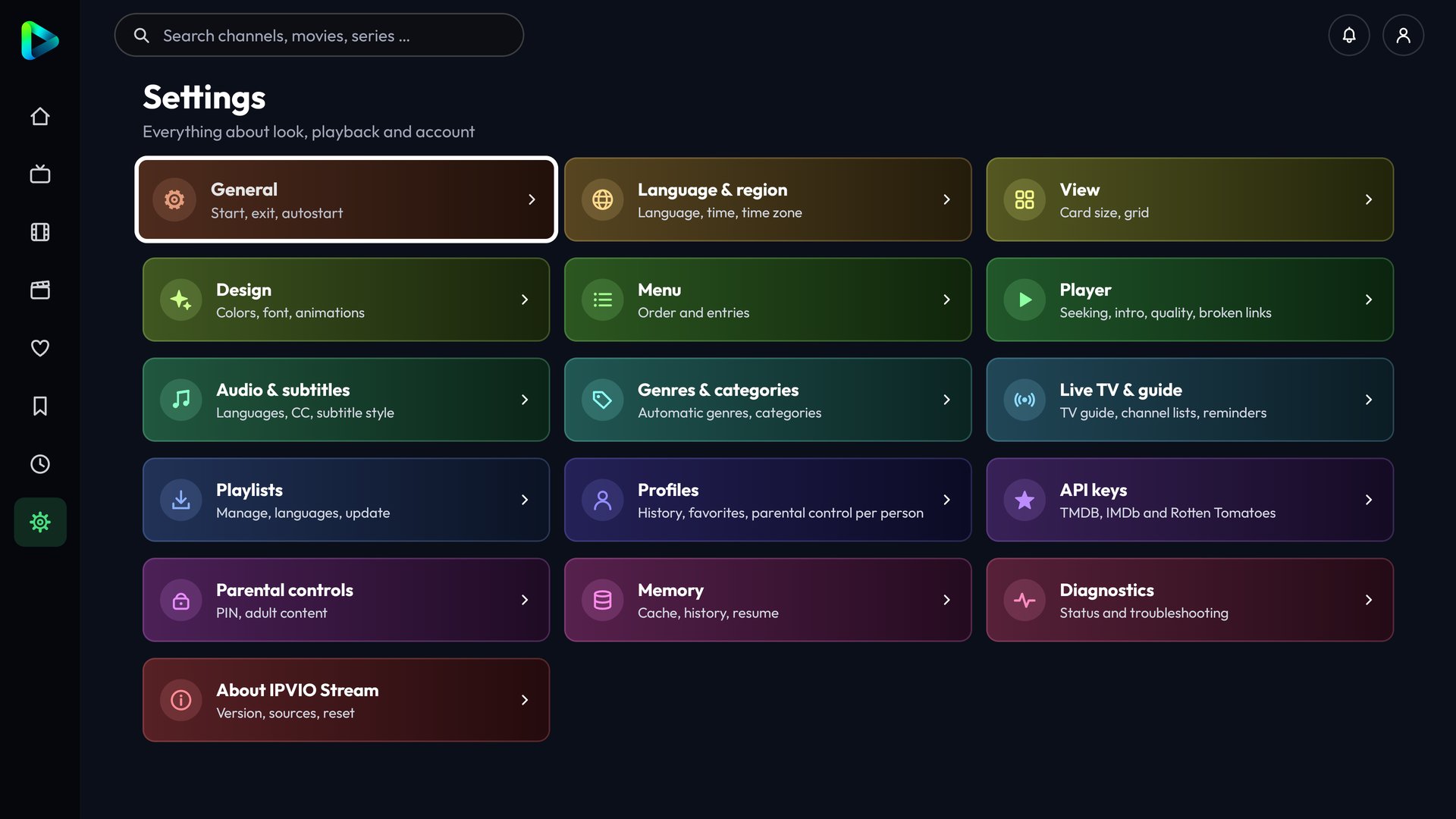
Posters and ratings are not built in. The app ships with no API keys and works without any: with an Xtream login it takes descriptions, covers, ratings, genres, running times and trailers from your provider, while a plain M3U list has none of that. For more, add your own free keys under Settings > API keys, press Save and check, wait for the green Key valid message, then restart the app once. A phone or USB keyboard makes long keys easier to enter. Keys stay on the device unless you include them, encrypted, in a Google Drive sync. The app itself needs no account; a TMDB key needs a TMDB account, and an OMDb key needs an email address and the activation link.
- TMDB: posters, descriptions in your language, cast, trailers, automatic genres, episode information and similar titles. Request a Developer key in your TMDB account settings and copy the 32-character API key, not the read access token.
- OMDb: IMDb and Rotten Tomatoes ratings. The free tier allows 1,000 requests a day; the key only works after you click the activation link in the email.
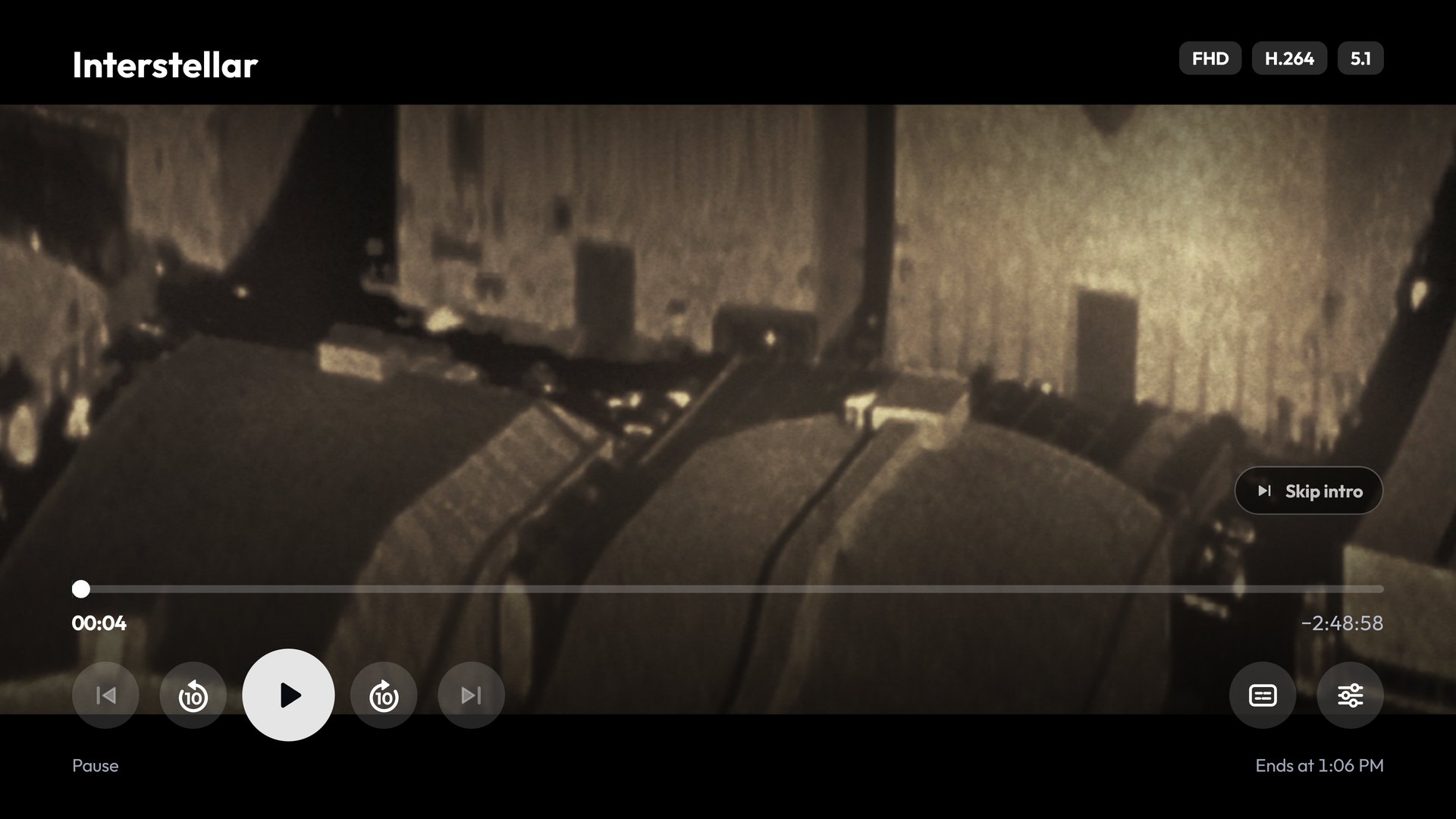
- TheIntroDB: intro, recap and credits times for the skip buttons. No key needed.
What stands out
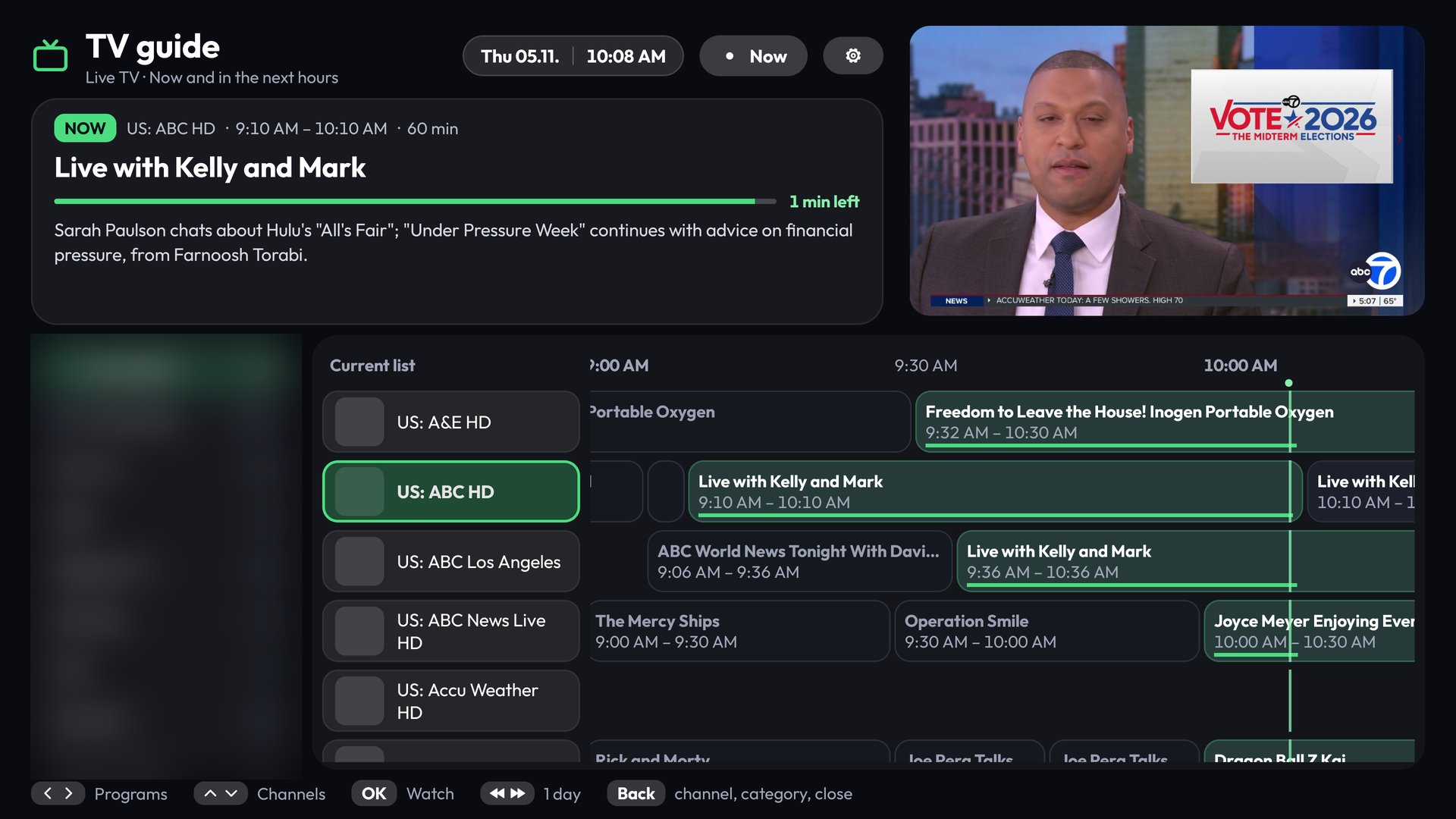
- Live TV that behaves like a set-top box: a TV guide, catch-up, reminders, rewinding live TV from an on-device buffer, and recording the current show to internal storage or USB.
- Multi-view with up to four streams, if your provider allows several connections.
- A Sports Hub for ten sports, from soccer and the NBA to F1 and cricket. Its Watch Live button only uses channels from your own list. The scores come from ESPN's unofficial public endpoints, can be switched off, and, as the release notes say, can break at any time.
- Imports from Letterboxd, MyAnimeList and Trakt, using the export files from those sites: no login and nothing sent to them. Only titles that exist in your own playlist are matched.
- Viewer comforts: skip intro and credits, automatic next episode, audio and subtitle choices remembered per title, profiles with a PIN for parental controls, 12 colour themes and a choice of fonts and sidebar positions.
What changed since 1.4.1
- Google Drive sync (1.4.2): under Settings > Storage > Google Drive, each device uploads its own file to a folder called IPVIO Stream Sync in your Drive, and you restore by hand, picking the areas you want. Playlists and API keys travel only if you set a sync password; they are then encrypted with AES-256-GCM. The parental PIN never leaves the device. The app asks only for Google's drive.file permission, so it can see only the folder and files it created. Sign-in works with a code on google.com/device, which also works on Fire TV.
- A caveat on Drive: the section only appears in builds that include a Google client, and the project notes that APKs from its new GitHub release workflow had none until the 1.4.3 changes passed the keys in. If you don't see Google Drive under Settings > Storage, Transfer over Wi-Fi works without any setup.
- Smaller fixes in 1.4.2 commits: removing the parental PIN now requires the current PIN, genre categories can be hidden in Live TV, API keys can be typed on the phone, and adult categories stay off the home pages.
- Prepared for 1.4.3 (in the changelog, not yet on the Releases page when we checked): live sync of favourites and history through Drive, off by default and not yet tested on a device; Live TV remote fixes so Back returns to the last category and channel; a darker search background; and a smaller update card.
How is IPVIO Stream built with Claude?
Claude writes much of the code under rules in a 152-line CLAUDE.md, with 78 of the 197 commits on the main branch authored by Claude by November 16, while the maintainer builds and tests on real devices.
The repository is unusually open about its process. Of 197 commits on the main branch by November 16 (52 of them merges), 78 are authored by Claude, and 103 commit messages link to Claude Code sessions on claude.ai/code. Their Co-Authored-By lines name Opus 5.5 most often (51), followed by Sonnet 5.5 (39), Fable 5.2 (10) and Haiku 5.5 (9). The maintainer, whom the README's Claude-voiced support note calls a wannabe developer, made most of the rest, with a few commits from outside contributors.
The rules are in a CLAUDE.md, now 152 lines, that every session must read first. Its most practical line is about limits: the assistant cannot run Gradle, has no Android SDK and cannot test on a device. So the maintainer builds in Android Studio and tests on a TV or Fire TV, every change ends with concrete test steps for him, and the assistant may never report a test as passed unless it was actually run.
- Every task has an ID, from T-001 upward, with goals and acceptance criteria in its own file. Large features and refactorings go through analyze, plan, approval, implement, validate, document and report; simple bug fixes skip the planning step.
- Protected areas need an approved plan first, such as the names of stored settings, because renaming one would wipe users' data.
- Architecture decisions get short records in docs/adr, and a WORK_STATE file hands the current state from one session to the next.
- The test suite has grown with the clean-up: an audit on November 11 counted 231 unit tests in 31 files, and the 1.4.1 code has 335 in 42 files, next to about 44,000 lines of Kotlin across 226 files.
Since November 15 the file also sets rules for branches, releases and tests: work goes through feature branches and pull requests into a dev branch, and nothing goes straight to main; a GitHub workflow builds, tests and publishes a signed release only when the tests are green; and every change to app code comes with a unit test, or the pull request explains why it cannot have one and lists manual test steps. The signing key and its passwords are kept in GitHub secrets, never in the repository.
Try it with your AI. To set up the same kind of working rules for your own project, open it in Claude Code, Codex or another coding assistant and paste this:
I'm building [describe your app and its platform] with you as my coding assistant.
Before we write more code, set up working rules for this repository, modeled on the
CLAUDE.md of the IPVIO Stream project
(github.com/Emrodev/IPVIO-Stream/blob/main/CLAUDE.md).

1. Read the repository first. List the stack, how it is built and tested, and where user
   data is stored. Mark anything you could not verify as "unverified".
2. Draft CLAUDE.md with these sections:
   - Environment limits: what you can and cannot run here (build, tests, device). Never
     report a test as passed unless you ran it. End every change with test steps for me.
   - Protected areas: stored-data keys, file and backup formats, public interfaces, and
     anything whose change would lose user data. No changes there without a plan I
     approve.
   - Approval required: adding or upgrading dependencies, build restructuring,
     security-related code, removing features.
   - Workflow: every task gets an ID (T-001, T-002, ...) and a file in docs/tasks/ with
     goal, affected files, acceptance criteria, risks and test results. Large changes:
     analyze, plan, wait for my approval, implement, validate, document, report. Small
     bug fixes skip the plan.
   - Session handoff: update docs/tasks/WORK_STATE.md before a session ends, and read it
     first when a session starts.
3. Draft docs/tasks/WORK_STATE.md and a one-page template for decision records in
   docs/adr/.

Do not put any API keys, passwords, signing details or server addresses into these
files.

Show me the drafts before saving anything, and do not change any code in this task.
The release that didn't start
Those rules exist for a reason, and the history shows one. Turning on R8, Android's code shrinker, had failed before: a 12.7 MB build during 1.2 did not start, and a narrower attempt on November 12 crashed at launch. A decision record that day planned a safer setup over the whole app, and release 1.4 shipped with it. According to the 1.4.1 commit, written 46 minutes later, 1.4 did not start on user devices; 1.4.1 switched R8 off again, the cause unverified for lack of a crash log. The release notes for 1.4.1 read, in full: im an idiot.
The 1.4.2 test build of November 13 turned R8 back on, this time as a manual-install pre-release rather than an automatic update, and the regular 1.4.2 followed on November 14. It is a small, honest example of where the work splits: Claude can read the documentation and write the plan, but even a passing test on the maintainer's own device did not catch the failure on users' devices.
What are IPVIO Stream's limits?
The project's own security notes list open items: the phone input pages use plain HTTP on your local network, the access code and parental PIN have four digits, and logins can be stored unencrypted on devices without an Android keystore.
The project's own security notes list open items worth knowing before you rely on it. The phone pages used for input and backup run over plain HTTP on your local network, so use them only on Wi-Fi you trust; the access code and the parental PIN have four digits; on devices without an Android keystore, logins can be stored unencrypted, which the app only sometimes points out in its settings. Many IPTV providers only offer plain HTTP, so the app allows it. In the 1.2 release notes, the maintainer adds that he has not done a full audit. The notes also list as open that if a provider's HTTPS certificate does not match its address, the app can fall back to plain HTTP, including for Stalker logins, so credentials can travel unencrypted.
Related on claudefox
- TV Detox gives an old Android TV a 30 MB ad-free home screen and a Claude Code cleanup you can undo
- Free My TV: an open-source, ad-free home screen for Google TV, LG and Samsung, built with Claude Code
- CleanYourTV: debloat an Android TV or Google TV over Wi-Fi with Claude Code and get an Apple TV-style home screen
- couch-tv gives Google TV a clean home screen and a phone remote, with an optional Claude assistant
Problems and feedback
The maintainer asks for bug reports in the project's subreddit (linked from the release notes) or as GitHub issues, ideally with a log. The FAQ covers the common questions, including why posters are missing without keys and what to do when an Xtream login works elsewhere but not here.
FAQ
Where is IPVIO Stream on GitHub, and where is the APK? The repository is github.com/Emrodev/IPVIO-Stream, and IPVIO-Stream.apk is attached to each release on its Releases page; the latest-release download link is in the install section above.
Does Google Drive sync upload my playlist passwords? Only if you set a sync password. Playlists and API keys are then encrypted with AES-256-GCM, the parental PIN never leaves the device, and the app can see only its own IPVIO Stream Sync folder.
Why don't I see posters or ratings? The app ships without API keys. Add a free TMDB key for posters, descriptions and cast, and an OMDb key for IMDb and Rotten Tomatoes ratings, under Settings > API keys. With an Xtream login, some of this comes from your provider.
Will I lose my data when I update? Not as long as the new APK is signed with the same key, which the project requires for every release. The app checks for updates once a day and keeps playlists, favourites, history and settings.
Our take
Plenty of apps are now vibecoded. What makes IPVIO Stream worth a look is that its repository shows the whole arrangement: a person who owns the device testing and the release decisions, an assistant bound by written rules about what it may claim, and a public record of the one time that went wrong. If you are building something similar with Claude, its CLAUDE.md is a better template than most.
Published on GitHub by Emrodev
Source: IPVIO Stream on GitHub (Emrodev/IPVIO-Stream), IPVIO Stream releases, CHANGELOG.md, CLAUDE.md, ADR 0005: R8 over the whole app, Security notes, FAQ, Google Drive device sync, Commit history
This story first appeared in the claudefox daily briefing for November 8, 2026.